How to Reset Your Instagram Algorithm (2026)
Yes, you can hit reset and retrain your feed today. But here’s the part nobody tells you: on Instagram, an algorithm you don’t own decides who sees you — and it can change its mind tomorrow. I’ll show you how to fix your feed right now, and how to stop living at the algorithm’s mercy for good.


People mean two different things when they search “how to reset the Instagram algorithm.” To reset what Instagram shows you, open Settings and privacy → Content preferences (Suggested content) → “Reset suggested content” — that clears your feed and Explore so you can retrain them. But if you’re a creator and what you really mean is “my reach tanked — how do I get my own posts seen again?”, that’s a different and much bigger fix. I’ll cover both here — and why the only reach no algorithm can quietly take away from you is an audience you own. 🎯
In this article
- The two things people mean by “reset the algorithm”
- How to reset the content Instagram shows you
- What to do right after you reset your feed
- How to fix your own reach: the organic growth factors that matter
- Why your reach keeps dropping anyway
- The real fix: build an audience you actually own
- Frequently asked questions
The Two Things People Mean by “Reset the Algorithm”
Two very different people type “reset the Instagram algorithm” into a search bar. Some want to reset what Instagram shows them — a stale feed, an Explore page still serving up things they scrolled past months ago. Others — and this is most of the coaches and creators I talk to — mean something bigger: “my posts stopped reaching people, how do I reset my reach?” Those are two different problems with two different fixes, so I’ll walk through both. The literal reset first, then the one that actually matters if you’re trying to grow an audience.
Start with meaning one. Resetting the Instagram algorithm clears the “suggested” and “recommended” signals Instagram has quietly built up from everything you’ve done — the likes, the saves, the watch time, the taps it logged to guess what to show you next. It does not delete your account, your posts, or your followers. It just wipes the profile of interests the app assembled about you, and lets the recommendations start over from a clean slate.
In plain terms: a reset clears the “taste profile” Instagram uses to fill your feed and Explore page. Your account and your content don’t move an inch — the app simply forgets the assumptions it made about what you like, and starts rebuilding them from whatever you do next.
And to be clear, there isn’t one single “the algorithm” you can flip off and on. Instagram runs different ranking systems for the feed, for Reels, and for Explore, and they all lean on the same signals about your behavior. The reset hits those recommendation signals across the board. It won’t hand you manual control — Instagram doesn’t publish how its ranking really works — but it strips out the accumulated guesswork so you can deliberately teach the app again. Done right, that’s far more powerful than most people realize.
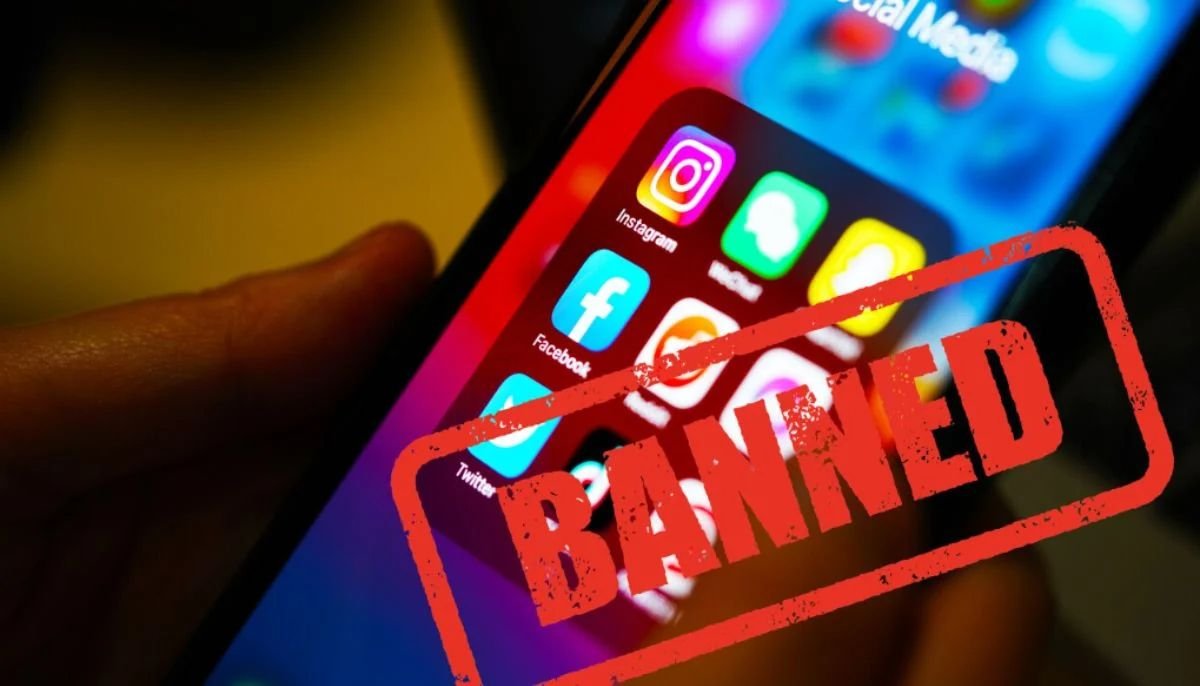
But hold onto that one word: teach. You can teach Instagram’s algorithm what to show you. You can never own it. That gap — renting your reach versus owning your audience — is the whole point of this article. Social platforms are rented land. You build on them, but the landlord writes the rules, changes them without asking, can quietly decide fewer people see you tomorrow, and can suspend or shadow-ban your whole account without a word of warning. So we’ll fix your feed first — then fix the thing a reset can’t touch: your dependence on a platform whose rules you don’t write. ⚠️
How to Reset Your Instagram Algorithm, Step by Step
The reset lives inside Instagram’s settings under content preferences, and it takes under a minute. Meta likes to move this option around, so if the wording below doesn’t match exactly, hunt for Settings and privacy → Content preferences (sometimes labeled Suggested content) → Reset suggested content. Here’s the whole thing, step by step.
Open your profile and the menu. Tap your profile picture in the bottom-right, then tap the menu icon — the three lines — in the top-right corner.
Go to Settings and privacy. Tap “Settings and privacy” at the top of the menu.
Find Content preferences. Scroll down to the “What you see” area and open Content preferences (on some versions it shows up as Suggested content). Can’t find it? Instagram keeps shuffling this menu, so just use the search bar at the top of Settings and type “suggested” or “content preferences.”
Tap “Reset suggested content.” Select the reset option and confirm. This is the real setting — it tells Instagram to stop using your past activity to pick recommended posts and Reels.
Confirm it. Your suggested feed and Explore page start rebuilding from scratch immediately.
How to reset the Instagram algorithm on iPhone
On iPhone, the steps above are the flow. It all lives inside the Instagram app rather than iOS settings, so it works the same on the newest iPhone or one that’s three years old.
How to reset the Instagram algorithm on Android
Android is the identical path, for the same reason: the control lives in the app, not your phone’s operating system. One thing I’d do first on either platform — update Instagram. Meta rolls these settings out gradually, and an outdated app will hide the option or bury it somewhere weird.
What to Do Right After You Reset
The reset is only step one. Clearing your signals hands you a blank slate — and that slate fills right back up with whatever you engage with next. So retrain Instagram on purpose in the first few days, before your old habits quietly rebuild the same stale feed you just wiped.
Here’s the mindset: every tap is a vote. In the days right after a reset, be deliberate about the votes you cast. 👇
Search and follow what you actually want. Look up the topics, creators, and communities you want more of, and follow a handful of accounts in each. This is the loudest signal you can send about the direction you want your feed to go.
Like and save generously — but only the right stuff. Saves and shares carry real weight. Save the posts you genuinely want more of, and stop idly liking things you don’t actually want to see again.
Use “Not interested” without mercy. When a suggested post or Reel misses, tap the three dots and mark it “Not interested.” It’s a direct order to show you less of that, and it works fast when you actually use it.
Mute the noise. The accounts you keep out of politeness but never want to see? Mute them — no unfollow required, no drama. Cutting the noise sharpens everything the algorithm learns about the signal.
Actually spend time on the good stuff. Watch the Reels you like all the way to the end, read the captions, linger. Dwell time is one of the clearest signals there is, so give your attention to exactly what you want more of.
Do this for a week and your feed and Explore page will look genuinely different — because you rebuilt them on purpose instead of by accident. The reset opened the door. Your first week of deliberate engagement is what furnishes the room. ✅

How to Fix Your Own Reach: The Organic Growth Factors That Matter
Now for meaning two — the one most creators are actually asking about. There’s no single button that “resets” how far your own posts travel. But you can feed the algorithm the signals it rewards. Instagram decides how widely to push a post based on how the first people respond to it, so your whole job is to earn strong early signals from the right audience. These are the levers that actually move organic reach — no secrets, just the ones that work:
Show up consistently. The algorithm rewards accounts that post regularly, because every post is a fresh chance to be tested and distributed. A steady 3–5 posts a week beats a burst of ten and then two weeks of silence. Consistency compounds.
Win the first three seconds. Reels get the widest reach right now, and watch time decides whether one keeps getting pushed. Open with a hook that stops the scroll — a bold claim, a sharp question, a pattern break — so people stay to the end instead of flicking past.
Chase saves, shares, and sends — not just likes. When someone saves your post or DMs it to a friend, they’re telling Instagram it’s worth spreading. Those actions carry far more distribution weight than a like now, so make content people want to keep or pass along.
Trigger early engagement. Post when your audience is actually online, then reply to every comment and DM in the first hour. That early velocity tells the algorithm the post is landing — and it answers by showing it to more people.
Stay in your lane. Post around a clear topic so Instagram can categorize you and match your content to the right people. A feed that jumps between unrelated subjects is much harder to distribute than one with an obvious niche.
Post original, and make it findable. Instagram down-ranks reposted, watermarked, or obviously aggregated content and rewards original work. Write real captions and use a few specific keywords and relevant hashtags — Instagram is a search engine now, and people find posts by topic.
Do these consistently and your reach will climb. There’s no secret reset here — just steadily giving the algorithm the signals it rewards.
Why Your Reach Keeps Dropping Anyway
You can do everything in that last section right — post consistently, hook hard, earn the saves — and still watch your reach slide. That’s not you failing at the tactics. It’s the nature of the ground you’re building on, and it’s worth being honest about instead of blaming one setting.
Here’s a confession, on me. My last LinkedIn post reached 58 people. I’ve got around 900 followers, and just 58 of them saw it. A few months back I’d started warming up that account — June: 250, 220, 150. July: 148, 130, 115. August: 58. Same effort. Same topics. Same person writing them. A quarter of the reach. And if I hadn’t gone digging through my analytics one afternoon, I’d still believe things were going just fine. That’s the trap: follower count is a vanity metric that feels like progress, and it’s the one number that can’t tell you anything’s wrong. Instagram works exactly the same way.
First, a quick distinction so we’re using the same words. Reach is how many unique accounts saw your post. Impressions is the total number of times it was shown, repeats included. When people say their “Instagram reach” dropped, they usually mean fewer unique people are seeing their work — and there are a handful of ordinary reasons for that, most of them outside your control.
Instagram changes how it ranks and distributes content constantly. A format it loved last quarter gets less push this quarter. And more of everyone’s feed is now recommended content from accounts they don’t even follow — so your followers aren’t guaranteed to see your posts even when they want to. None of it is personal, and none of it is something a reset can undo.
Here’s the uncomfortable truth every creator eventually meets: you don’t control the platform. Your followers aren’t a list you own — they’re a permission Instagram grants and can throttle whenever it likes. You can play the game brilliantly, but you never get to change the rules, and the rules change without asking you.
And throttled reach is the mild version. Accounts get suspended by mistake, hacked and lost, or quietly shadow-banned — hidden from search, hashtags, and Explore, with no warning and no explanation — over anything from a flagged post to a false spam report to a rule you never knew existed. Years of followers can vanish overnight, usually with no one to appeal to. When your entire audience lives on someone else’s platform, you’re one automated decision away from starting over at zero.
That’s not a reason to abandon Instagram — it’s a fantastic place to get found. But it’s exactly why chasing reach can feel like running on a treadmill that keeps speeding up. And it points straight at the thing that actually breaks the cycle.
The Real Fix: Build an Audience You Actually Own
Resetting the algorithm is a patch, not a cure. It freshens your feed today, but the algorithm can change its mind again tomorrow — and no reset stops that. The only audience no platform can throttle, reshuffle, hide behind a ranking change, or wipe out with a suspension is one you own outright: an email list. 📩
The difference is simple, and it’s enormous. On Instagram, an algorithm sits between you and your followers and decides who hears from you. With email, there’s no gatekeeper — you hit send, and it lands. Social media is how people find you. Email is how they buy from you. Use social as the front door, then move the people who walk through it somewhere you actually control.
That “somewhere you control” is just a simple funnel. It doesn’t need to be fancy: you offer a small, genuinely useful freebie your ideal follower actually wants, they hand over their email to get it, and a short run of welcome emails plus a regular newsletter keeps the relationship warm. Want the whole picture? Our guide to building a simple sales funnel that turns followers into clients walks every stage, from first tap to booked discovery call.
Not sure what your funnel should actually look like? Answer a few questions about what you do and your free custom roadmap will map it out — the freebie, the landing page, the welcome emails, and the newsletter that turns followers into subscribers you keep.
Claim my roadmapFree · No credit card · 3 minutes
You can absolutely build this yourself — plenty of people do, and the tools are cheap. The honest catch is the writing and the upkeep. Drafting the freebie, the welcome emails, and a newsletter week after week is exactly where most busy coaches stall out. A coach I spoke with last month put it perfectly: “I don’t want a better kitchen. I want someone to cook dinner.” If that’s you, that’s the whole reason Nautilus’s done-for-you email marketing exists — a real team plus AI builds and sends the entire funnel in your voice, so your only job is to approve it (one flat plan, details on our pricing page). Either way, the point holds: a reset buys you a better feed. An owned audience makes you independent of the algorithm for good. 🎯
Entrepreneur | Co-founder @ Nautilus, the done-for-you email marketing service for coaches & consultants. I write about email marketing, funnels, lead generation and everything I learned during the past 15 years building businesses, writing software and generating leads in the digital world.
Frequently Asked Questions
Why did my Instagram reach suddenly drop?
Usually it’s a mix of things outside your control — Instagram changing how it ranks and distributes content, more feeds filling up with recommended posts from accounts people don’t follow, or a format it once favored quietly losing priority. Inconsistent posting and weak early engagement make it worse. You can win reach back by posting consistently, leading with Reels and strong hooks, and earning saves and shares — but because the platform sets the rules, the only reach you truly control is an audience you own, like an email list.
Does resetting the algorithm delete my account, posts, or followers?
No. Resetting suggested content only clears the recommendation signals Instagram built from your past activity. Your account, your photos and videos, your captions, and your followers all stay exactly where they are. The only thing that changes is the personalized guesswork behind your suggested feed and Explore page, which starts rebuilding from scratch based on what you do next.
Can I reset the algorithm on an Instagram business or creator account?
Yes. The reset suggested content control lives in Settings and privacy under content preferences, and it’s available on personal, creator, and business accounts alike. The steps are the same no matter your account type. Just remember that resetting only affects the recommendations you see in your own feed and Explore page — it doesn’t change how far your own posts reach other people, which Instagram’s ranking systems govern separately.
How long does it take for my feed to improve after a reset?
You’ll usually notice a difference within a few days, and it depends heavily on how deliberately you retrain the app. Because the reset starts your recommendations from a blank slate, the accounts you follow, the posts you save, and the Reels you actually watch in that first week do most of the work. Engage on purpose with what you want more of, mark off-target suggestions as not interested, and your feed reshapes quickly.
Does resetting also affect Reels and the Explore page?
Yes. Instagram uses related signals about your activity to rank recommended posts, Reels, and the Explore page, so resetting suggested content refreshes all of those surfaces, not just your main feed. That’s exactly why a reset is the common fix for an Explore page that’s gone stale or repetitive. After the reset, your Reels and Explore recommendations rebuild from your new activity along with the rest of your suggested content.
Can I reset the Instagram algorithm on desktop or only in the app?
The reset is built around the mobile app, where the content preferences and suggested content settings are most reliably available. Instagram’s web version has a more limited settings menu, so the reset suggested content option may not show up there at all. The dependable way to do it is to open the Instagram app on your phone, make sure it’s updated, and use the search bar inside Settings to jump straight to the suggested content controls if the menu labels differ.
Stop Renting Your Audience
Resetting your feed helps today but the only audience no algorithm can throttle is the one you own — get your free custom roadmap to see exactly what your email marketing should look like.
Claim my roadmapNo credit card · 3 minutes